

You’d think that choosing between two tablets from the same series would be simple—newer must mean better, right? Not quite. The Samsung Galaxy Tab A9 may be the latest entry in the lineup, but comparing it with the Galaxy Tab A8 reveals a few unexpected twists. It’s not just about what’s newer; it’s about what actually works better for your day-to-day life.
What we’re looking at here isn’t a linear upgrade but a shift in priorities. One model leans into compact convenience, the other doubles down on immersive viewing and extended use. And believe it or not, that difference in size touches nearly everything else: display, battery, comfort, and even the kind of tasks you’ll want to use them for. So let’s get into the real-world differences—because specs are only half the story.
Size really does matter—depending on how you use your tablet

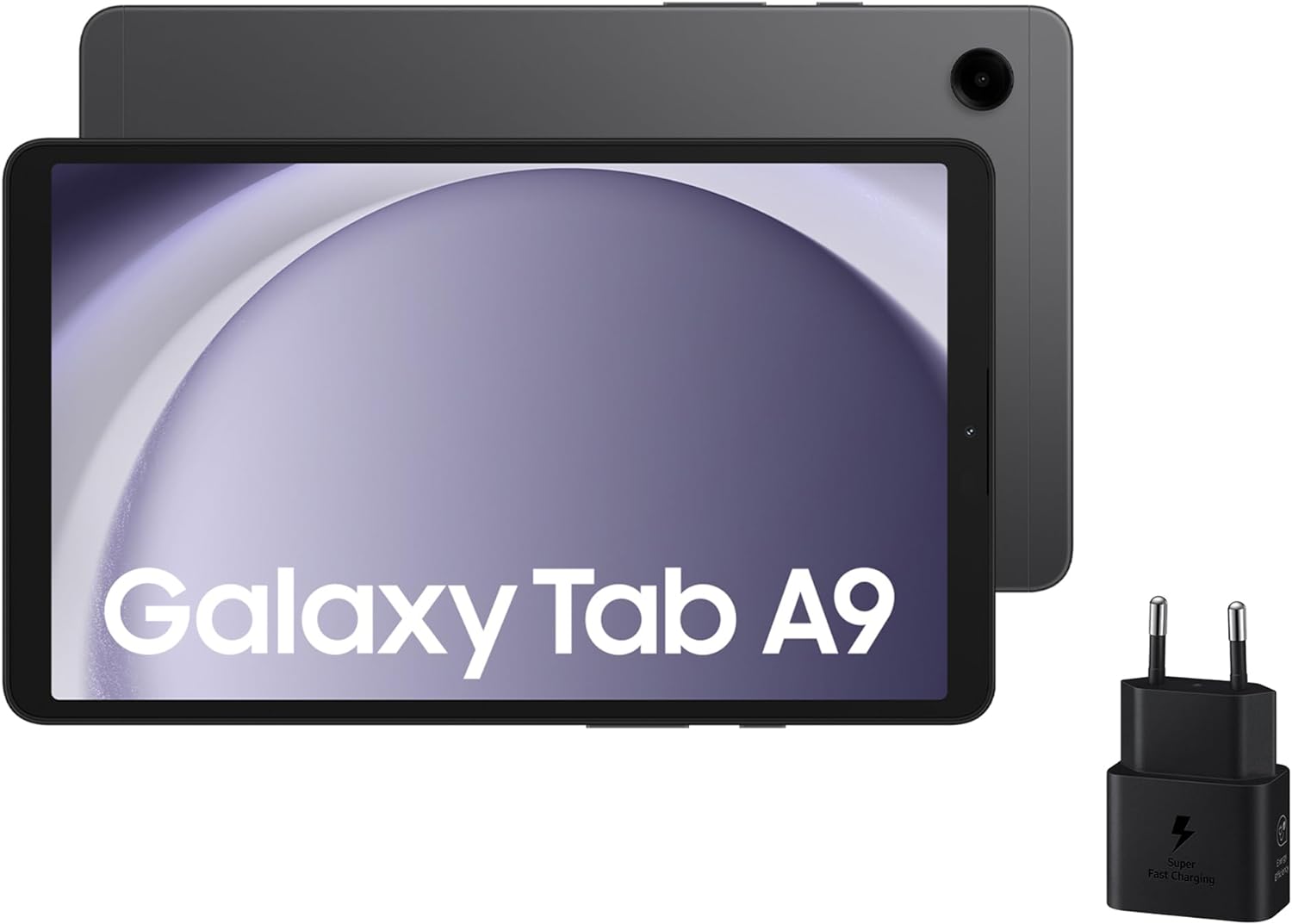
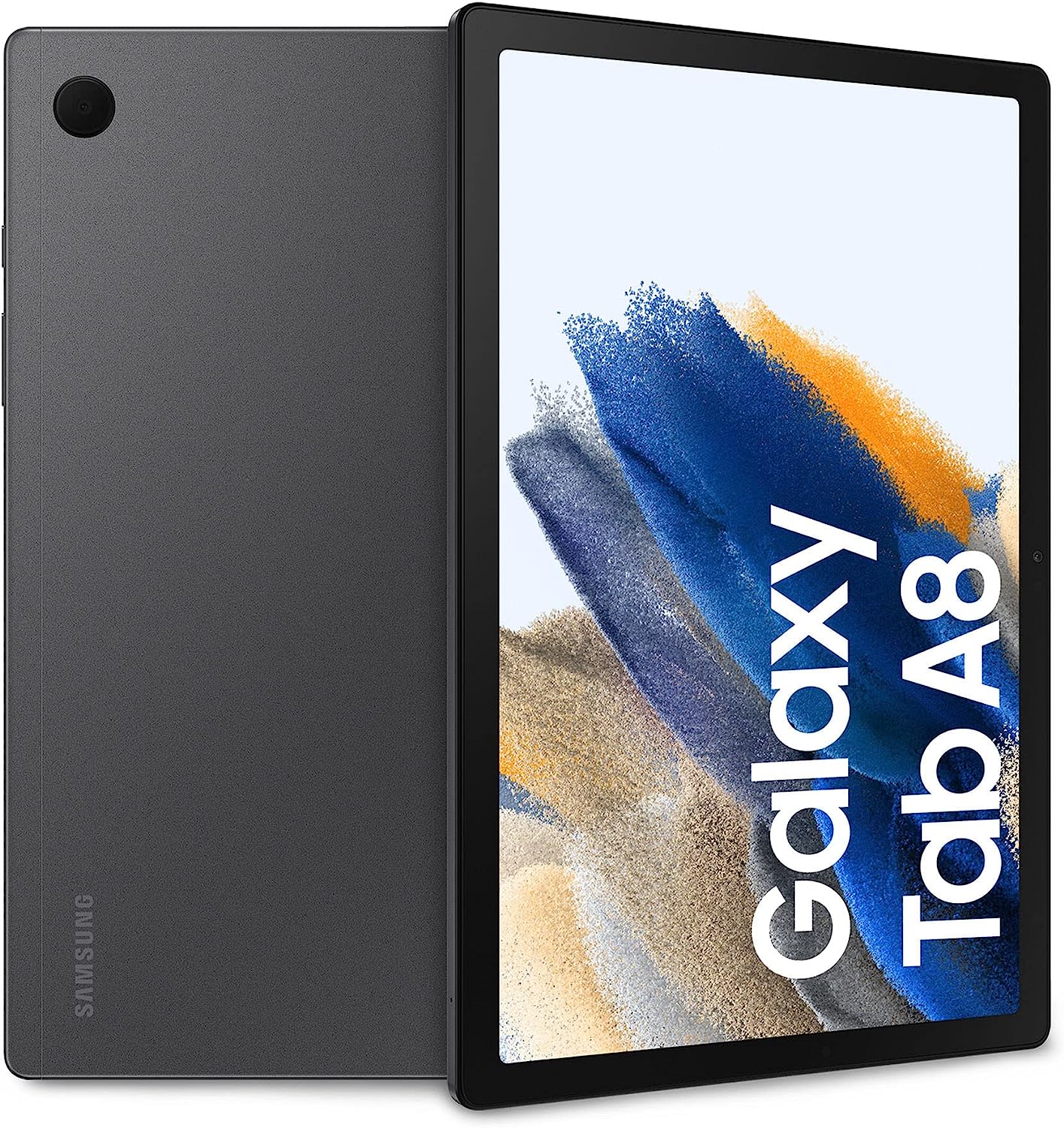
Here’s the deal: the Galaxy Tab A9 has an 8.7-inch screen, while the A8 comes in at a much larger 10.5 inches. That’s not just a small bump—it’s a whole different feel in your hands and your eyes. Watching Netflix? Reading long PDFs? The A8 gives you room to breathe.
But it’s not just about size. The A9’s resolution maxes out at 1340 x 800 pixels, while the A8 offers a sharper 1920 x 1200 panel. That’s a noticeable difference in clarity when you’re watching videos or even just scrolling through apps. Text is crisper, images are smoother—it’s subtle but hard to unsee once you notice.
That said, the A9 is smaller, lighter (332g vs. 508g), and just feels easier to throw into a bag or hold one-handed for longer sessions. If your tablet use is more about quick checks, eBooks, or watching short content on the go, that portability can be a game-changer.
Storage and RAM: no surprises, just enough
Nothing flashy here—both models come with 4 GB of RAM and 64 GB of internal storage, expandable up to 1 TB via microSD. It’s not high-end, but it gets the job done for casual use: video streaming, email, browsing, YouTube rabbit holes.
Samsung does offer higher configurations for both tablets, but the base versions are more or less equal in this department. No real edge, just a solid middle ground for everyday users.
Processing power is close—but the software makes the difference
Under the hood, the A9 runs on a MediaTek Helio G99, while the A8 uses a UniSOC T618. Performance between the two? Surprisingly similar. Neither is blazing fast, but both are smooth enough for multitasking and light apps. Gaming? Keep expectations in check.
Where the A9 pulls ahead a bit is in the software. It comes with Android 13 straight out of the box, while the A8 launched with Android 11. That’s not just a number—Android 13 brings better system optimization, improved privacy features, and longer app support.
So while performance might feel the same today, the A9 is better positioned for the future with longer-term compatibility and a more current interface.
Battery life tells a different story

Here’s where the A8 just wins. It packs a 7040 mAh battery, while the A9 settles for a 5100 mAh unit. Bigger screen, bigger battery—that part makes sense. But the difference in real-life usage is more than you’d expect.
The A8 lasts noticeably longer on a single charge, especially during video playback and multitasking. The A9 can stretch a bit thanks to its smaller screen and newer software, but it can’t match the raw endurance of the A8.
Both support 15W fast charging, which is decent, but you’ll find yourself reaching for the charger less often with the A8. And if you’re planning to use your tablet for work sessions, movies, or back-to-back Zoom calls, that matters.
Audio stays consistent, and Dolby Atmos brings the boost
You won’t find major surprises here. Both tablets support Dolby Atmos, which helps improve spatial audio and gives a more immersive feel—especially with headphones.
Speaker quality is solid for their price point, though placement and loudness vary slightly. The A8 might come across a bit fuller thanks to its size and speaker arrangement, but neither device disappoints when it comes to casual listening.
For podcasts, video chats, or casual Netflix binges, they hold up just fine.
Connectivity has minor updates—but mostly stays familiar
Let’s get this out of the way: neither tablet supports NFC or comes with 5G in this configuration. We’re talking Wi-Fi-only models here, aimed at home and casual use.
That said, the A9 does bump the Bluetooth version to 5.3, while the A8 uses Bluetooth 5.0. Does that mean much in everyday use? Maybe not. But Bluetooth 5.3 offers more efficient connections and slightly better battery behavior with connected accessories.
Sensors vary a bit too. The A8 includes a gyroscope and Hall sensor, which can help with gaming or automatic screen orientation in certain cases. The A9 sticks with a more minimal setup: accelerometer, proximity sensor, geomagnetic sensor. Again, these differences won’t be noticeable to everyone—but they’re there.
Cameras aren’t the focus—but one does better for video calls

As expected, both tablets have an 8 MP rear camera. Serviceable, but nothing worth Instagramming with. The difference comes up front.
The A8 features a 5 MP front-facing camera, while the A9 drops that to 2 MP. It’s not a disaster, but if you do a lot of video calling—whether for work, family, or online classes—that extra resolution makes you look clearer and more natural.
It’s not a professional webcam, but between the two, the A8 gives you a better shot (literally) of coming across sharp and well-lit.
Portability vs. productivity—this is where it really splits
Weight and dimensions are where you feel the difference instantly. The A9 is just easier to carry, hold, and use on the go. It fits in smaller bags, doesn’t feel heavy in one hand, and makes reading or scrolling more comfortable over time.
But if you’re someone who sits down with their tablet—uses it for watching full shows, reading articles in split screen, or typing emails—the A8’s size and screen resolution make it far more enjoyable.
The A8’s 10.5-inch display just gives you more room to move. You won’t be squinting, resizing, or juggling cramped app windows. It’s less portable, sure, but more productive and more immersive.
So which one should you go for?
Look, if you’re hunting for a compact tablet that runs current software, feels featherlight, and handles the basics without fuss, the Galaxy Tab A9 makes a lot of sense. It’s modern, simple, and better suited to users who read, browse, or watch in short bursts.
But if what you want is a more complete device—one that can do a bit of everything comfortably, from long viewing sessions to solid video calls—the Galaxy Tab A8 is still the more well-rounded tablet. It may be older, but it wins in screen quality, battery life, and front camera performance.
That’s what surprised us most. The A9 isn’t exactly a replacement—it’s more like a fork in the road. A different flavor of tablet, aimed at people with different routines. One doesn’t beat the other across the board. They just serve different lives.
So ask yourself: where do you use your tablet, and what do you want from it? If the answer is portability, pick the A9. If it’s comfort and flexibility, go with the A8.
And no, you’re not crazy if you end up picking the older model. Sometimes newer just means different—not better.